
Dialoga
A Bible reading companion with AI that understands your theological tradition. Ask questions about any passage and receive insights shaped by your denomination, your preferred teachers, and your study level.


AI That Knows Your Tradition
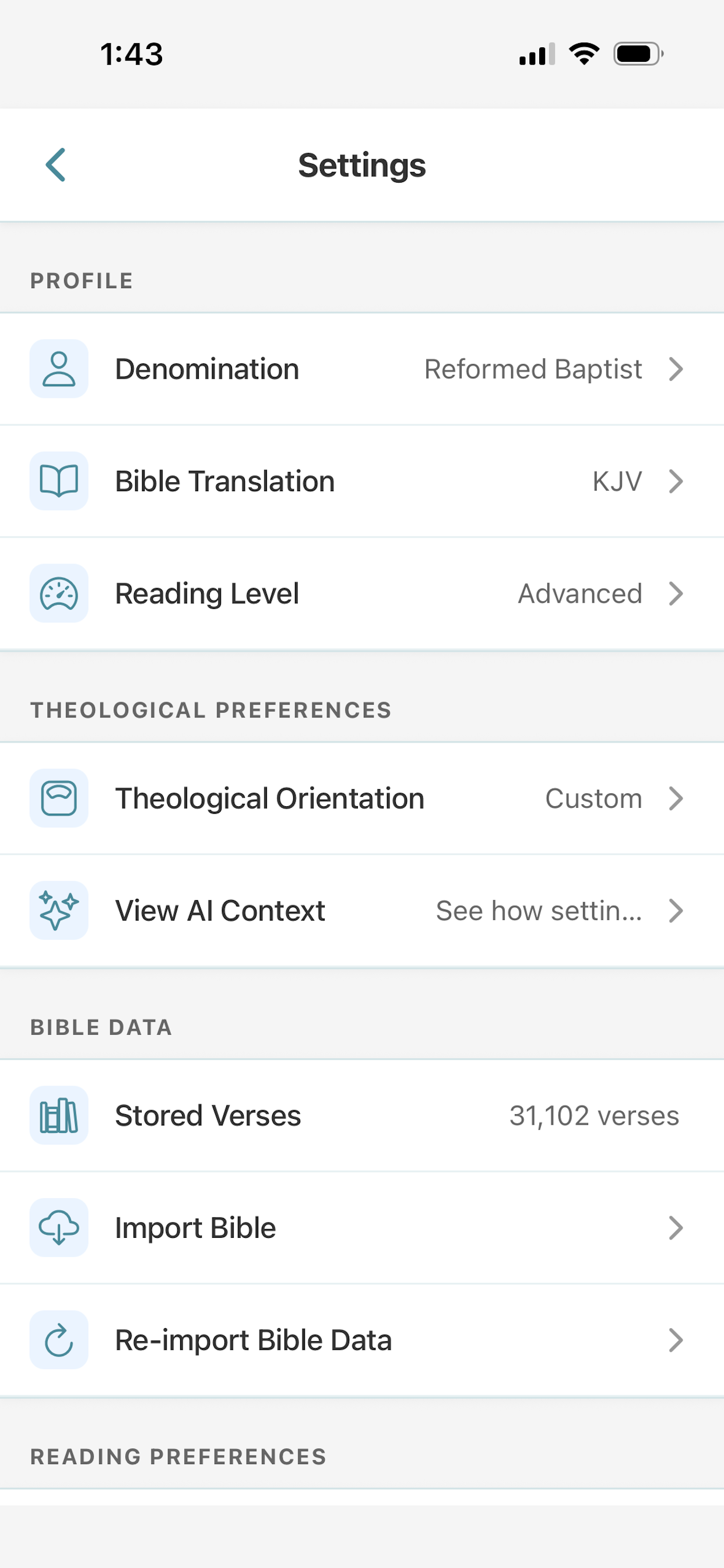
Most Bible apps give generic commentary. Dialoga adapts to you. A Reformed Baptist asking about Romans 8:28 receives a response grounded in Calvinist theology. A Methodist asking the same question gets a Wesleyan perspective emphasizing prevenient grace. A Catholic sees insights from Aquinas and the Magisterium.
Your denomination, theological orientation, and preferred teachers are all part of the conversation. See real examples: theology comparison | translation comparison | how AI-assisted Bible study works
What You Can Do
Ask While You Read
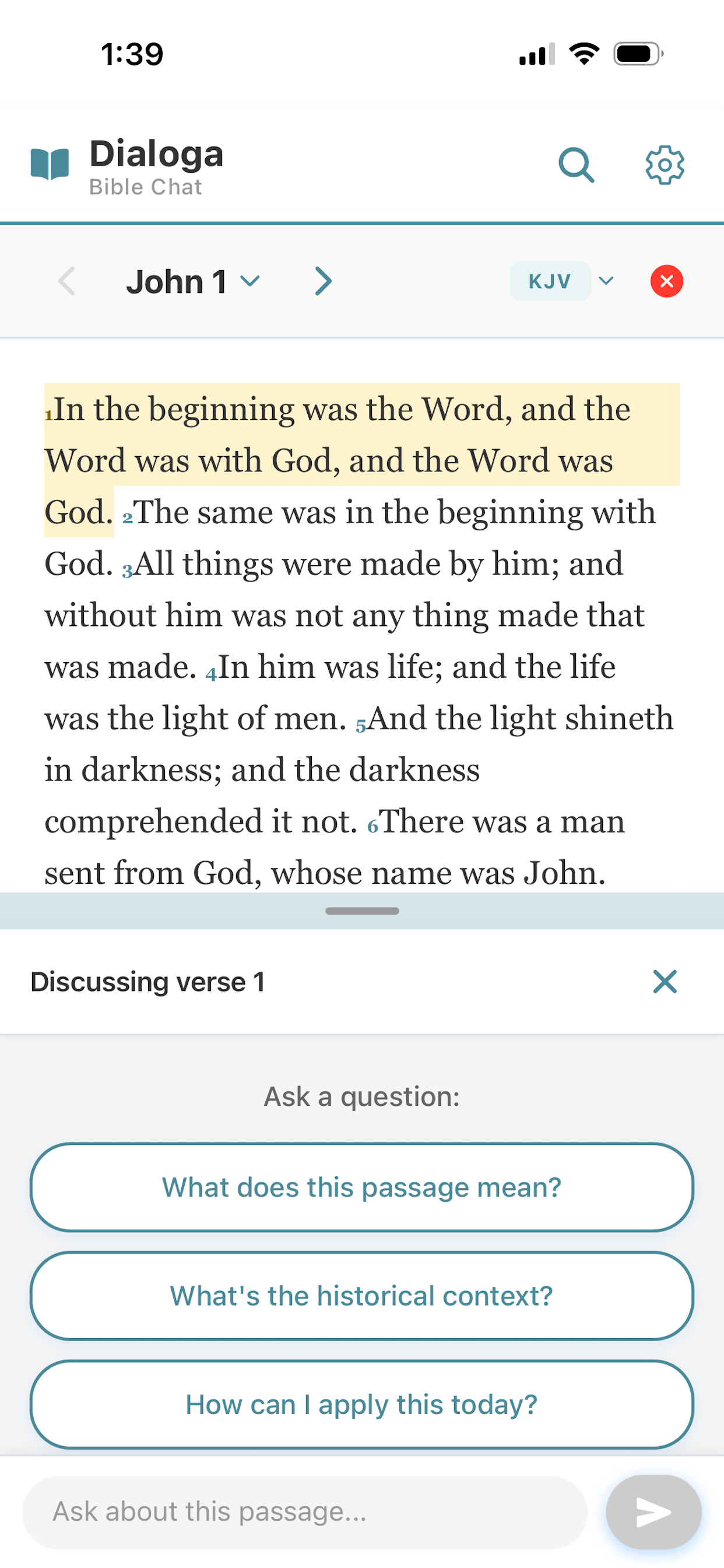
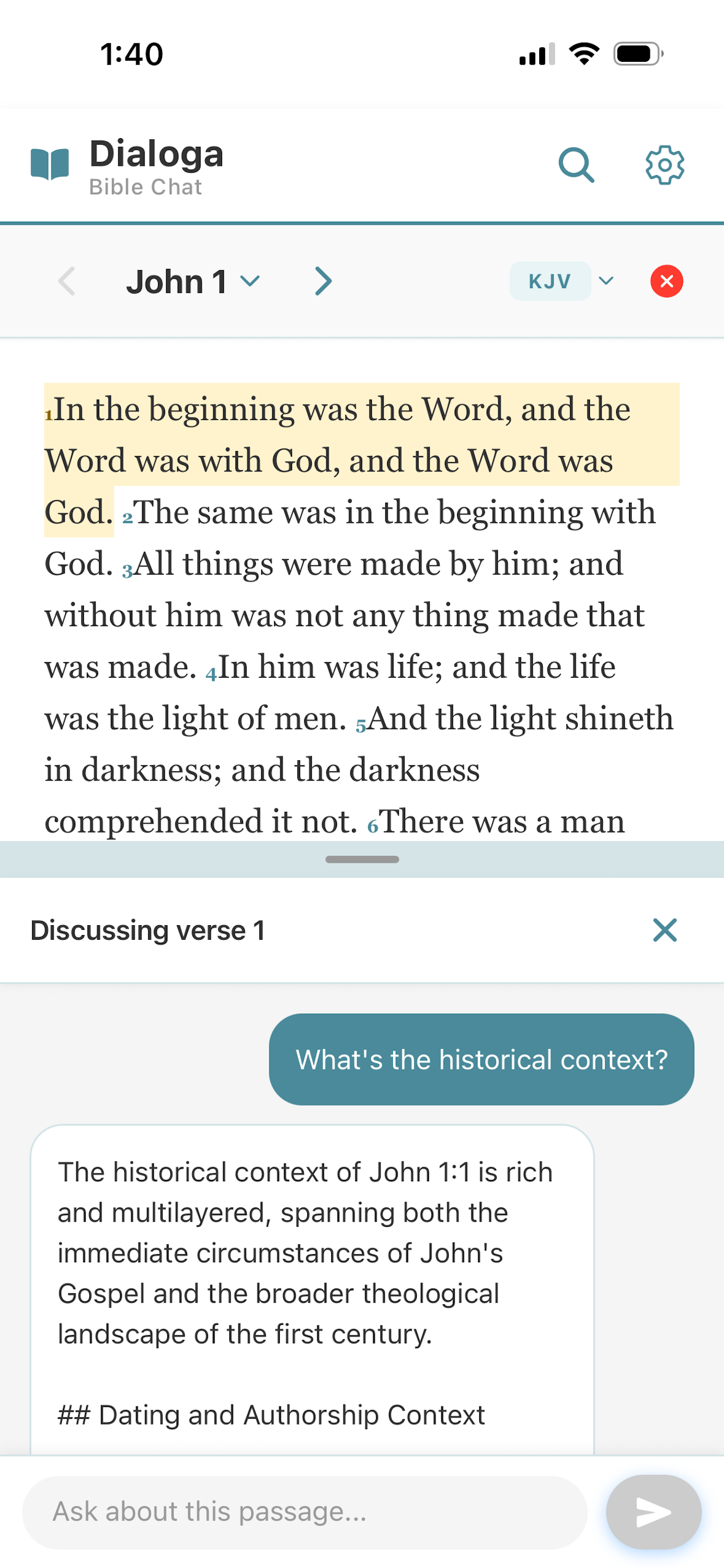
Tap any verse and ask a question without leaving the passage. The text and the conversation live in the same place.
9 Translations + Greek Word Study
KJV, ASV, BBE, WEB, Douay-Rheims, the Catholic Public Domain Version, Young's Literal Translation, and the Berean Standard Bible in English; Reina-Valera 1909 in Spanish; plus a word-by-word Greek Interlinear for the New Testament with lexicon lookup. Tap any translation to see what makes it distinctive and when it's helpful. Tap any Greek word to see every NT verse that uses the same Strong's-numbered word, grouped by book with KJV snippets.
Read and Chat in Spanish
Choose English or Español right at the start of onboarding, or switch anytime in Settings. The entire app — reading, AI chat, search, highlights, and settings — is fully translated.
Smart Search
Search by concept, theme, or meaning. AI finds related verses even when the exact words don't match. Start from topic chips (Love, Forgiveness, Anxiety, Prayer, Grace and more) or jump back into a recent search. After results appear, tap Ask AI about these verses for a synthesis of what they teach together.
Reading Tracker
Opt-in tracking across all 1,189 chapters. A dedicated Progress screen shows overall completion, OT/NT breakdowns, and per-book chapter grids. The Pace tab adds a 12-week reading chart and finish-date estimates for the current book, testament, and whole Bible.
Study Levels
Beginner, intermediate, or advanced. The AI adjusts depth and vocabulary to match your experience.
Verse Highlighting
Long-press any verse to highlight it in one of five colors. Tap additional verses while the picker is open to highlight several at once. Organize with custom tags and filter from a dedicated Highlights screen.
Guided Discipleship (Beta)
An optional Christian-formation track for going deeper. Three modules — Beginnings, Foundations, Government and Authority — each with a study guide, catechism, quiz, and a Socratic AI mentor. Currently written from a Reformed perspective; enable it under Settings → About.
Guided Tutorial
A short seven-step walkthrough on first launch shows you how to switch translations, ask the AI about a verse, run Smart Search, highlight, track reading, and try Guided Discipleship. Replay anytime from Settings → About.
Guided Discipleship (Beta)
For readers who want to go beyond casual study, Dialoga includes an optional Christian-formation track. Three modules present the same topics through four complementary tools:
- Beginnings — the first year of following Christ: assurance, the indwelling Spirit, baptism, the Lord's Supper, Scripture, prayer, the local church, repentance, spiritual warfare, walking in the Spirit, and how to expect growth and falling.
- Foundations — the gospel, core Christian doctrine (God, Trinity, the Person and Work of Christ, the Word and the Spirit, the Church and the last things), and basic Christian ethics.
- Government and Authority — what Scripture teaches about the nature, purpose, limits, and proper response to civil authority.
Each module gives you four tools that work together:
- Study guide — read the topic anchor by anchor.
- Catechism — short answers to say aloud until they're memorized.
- Quiz — test what you know so far, per chapter or per module.
- Mentor — walk a single topic through with a Socratic AI guide that asks short questions and pushes back where your understanding is thin.
The content is currently written from a Reformed perspective and takes settled positions on baptism, perseverance, spiritual gifts, church government, and other matters where Christian traditions differ. Other traditions are planned. Turn it on under Settings → About when you're ready; leave it off if you'd rather stay with the standard denomination-adaptive AI chat — the rest of the app works the same either way.
We believe you should understand exactly how this works.
Dialoga is transparent about what the AI does and doesn't do, what data is sent, and how your preferences shape every response.
Why I Built Dialoga
I built Dialoga to solve a problem I kept running into in my own Bible reading.
Whenever I came across a verse I wanted to understand more deeply, I'd stop, switch to another app, ask a question, then try to find my place again. It broke the rhythm of reading and made the whole experience feel fragmented.
I wanted something integrated, where the text and the conversation stayed together. But I also wanted the AI to know something about me. My denomination. My theological tradition. The teachers I respect. So that when I asked a question, the answer reflected my own framework rather than a generic one-size-fits-all response.
I couldn't find that app, so I built it.
Dialoga is the result: a simple, clean Bible reading companion designed around conversation. It's not trying to be everything. It's trying to do one thing well: help you engage more deeply with Scripture without interrupting the experience of reading it.
David
Frequently Asked Questions
Why isn't my favorite Bible translation available (ESV, NIV, NASB)?
Dialoga only includes free and public domain translations. Popular versions like ESV, NIV, and NASB require commercial licensing and cannot be included. We currently offer KJV, ASV, BBE, WEB, Douay-Rheims, the Catholic Public Domain Version, Young's Literal Translation, and the Berean Standard Bible in English; Reina-Valera 1909 in Spanish; and a Greek Interlinear for the New Testament.
Is Dialoga available in Spanish?
Yes. Choose English or Español right at the start of onboarding, or switch anytime in Settings. The entire app — reading, AI chat, search, highlights, and settings — is fully translated, and Reina-Valera 1909 is bundled as a free, public-domain Spanish Bible translation.
Is the AI replacing Scripture or my pastor?
No. Dialoga is a study companion, not a replacement for Scripture, personal study, or pastoral guidance. The AI helps explore context and meaning, but always points back to the biblical text itself.
Is my data private?
Yes. Most data is stored locally on your device. When you use the AI chat, your question and passage context are sent to generate a response but are not stored. No data is sold or used for advertising. Read the full privacy policy.
Can I use Dialoga offline?
You can read the Bible offline. All translations are stored on your device. The AI chat feature requires an internet connection.
How do I highlight verses?
Long-press any verse to open the color picker and choose a highlight color. While the picker is open, tap additional verses to add them to the selection. Tap a color to apply. View all your highlights from the star icon in the header.
What sources does the AI draw on for its answers?
Dialoga's AI runs on Anthropic's Claude, a large language model trained on a broad body of public Christian scholarship, biblical commentary, and theological writing across traditions: Reformed, Catholic, Wesleyan, Charismatic, Orthodox, and more. It is not browsing the internet or pulling answers from a live database in real time.
How does Smart Search work?
Smart Search uses AI to find verses related by concept, theme, or meaning, not just verses that contain your exact words. Open the Search tab, type a topic like "forgiveness" or "anxiety," and tap Search. You can also pick a topic chip (Love, Forgiveness, Anxiety, Prayer, Grace, Suffering, Faith, Hope, Trust, Wisdom, Marriage, End times) or a recent search. After results appear, tap Ask AI about these verses to have the AI explain what they teach together.
Can I see every place a Greek word appears in the New Testament?
Yes. Switch the translation to Greek Interlinear, tap any Greek word, and choose View all occurrences. Dialoga lists every verse in the New Testament where the same Strong's-numbered word appears, grouped by book in canonical order with a KJV snippet for each verse. Tap any occurrence to jump straight to that passage.
Can I track my reading progress?
Yes. Reading tracking is opt-in (off by default). Once enabled, a checkmark in the passage header lets you mark chapters as read. The Reading Progress screen shows overall completion across all 1,189 chapters, OT/NT breakdowns, per-book chapter grids, and a Pace tab with a 12-week chart and finish-date estimates for the current book, testament, and whole Bible.
What is Guided Discipleship?
Guided Discipleship is an optional Christian-formation track built into Dialoga, currently written from a Reformed perspective. Three modules — Beginnings (the first year of following Christ), Foundations (the gospel, core doctrine, and Christian ethics), and Government and Authority (Scripture on civil authority) — each present the topic through four tools: a study guide, a catechism, a quiz, and a Socratic AI mentor. Enable it under Settings → About. The rest of the app (Bible reading, translations, denomination-adaptive AI chat, search, highlights, tracking) works the same whether Guided Discipleship is on or off.
Why is Guided Discipleship written from a Reformed perspective?
The pilot content was authored around a specific settled tradition so the study guides, catechism answers, and mentor could speak with clarity rather than hedge on every disputed point. It takes settled positions on baptism, perseverance, spiritual gifts, church government, and other matters where Christian traditions genuinely differ. Other traditions are planned. If a Reformed posture doesn't match your tradition, leave Guided Discipleship off — the rest of the app is denomination-adaptive and works the same either way.
What AI model does Dialoga use?
Dialoga is powered by Anthropic's Claude, a large language model designed for thoughtful, nuanced conversation. Your settings are included in every prompt so responses are tailored to your context. Learn more about how the AI works.
Support
For questions or feedback, please use the Send Feedback feature within the app, or email sdialoga@gmail.com.